Dots for workspace admins: enable, restrict and audit
Workspace owners turn dots on under Permissions & roles in Workspace settings. See what each of the eight switches allows and how to remove a member's access.
Last verified
On this page
In a ChatGPT Enterprise workspace, dots are off until a workspace owner turns them on. The switch is in Workspace settings, under Permissions & roles, and seven more switches decide what each member's dot is allowed to do.
#Can your workspace turn dots on?
Start here, because three kinds of Enterprise workspace can't use dots at all, and two common requirements aren't met even when dots are on.
| Your workspace has | Dots | What to know |
|---|---|---|
| FedRAMP | No | Dots are unavailable |
| Enterprise Key Management (EKM) | No | Dots are unavailable |
| Inference residency set to the UAE | No | Dots are unavailable |
| HIPAA | Yes | If the workspace meets the other requirements. Confirm coverage under your agreement before a dot touches health data |
| Data residency, or inference residency elsewhere | Yes | Dots don't support either. Turning dots on doesn't make their data or processing residency-compliant |
| A zero data retention requirement | Yes | Dots keep data. Don't enable them for work that must leave nothing behind |
#Turn dots on
If your workspace qualifies, turning dots on takes four steps. You need to be a workspace owner.
Turn dots on for your workspace
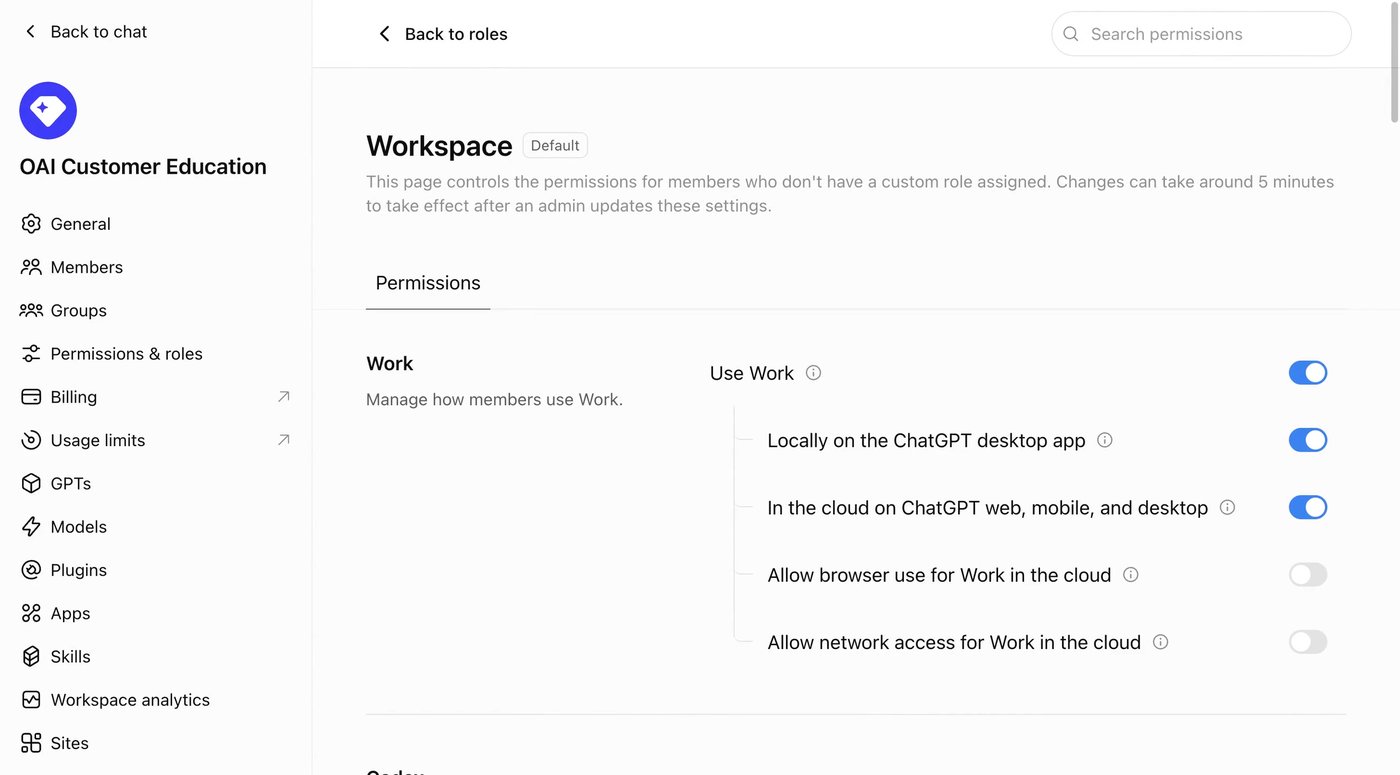
Image: OpenAI 1Open Permissions & roles
Open Workspace settings and click Permissions & roles in the list on the left.
- Default marks the role everyone falls back to.
- A change takes about five minutes to reach members.
- Back to roles lists your custom roles.
Image: OpenAI 2Choose who gets a dot
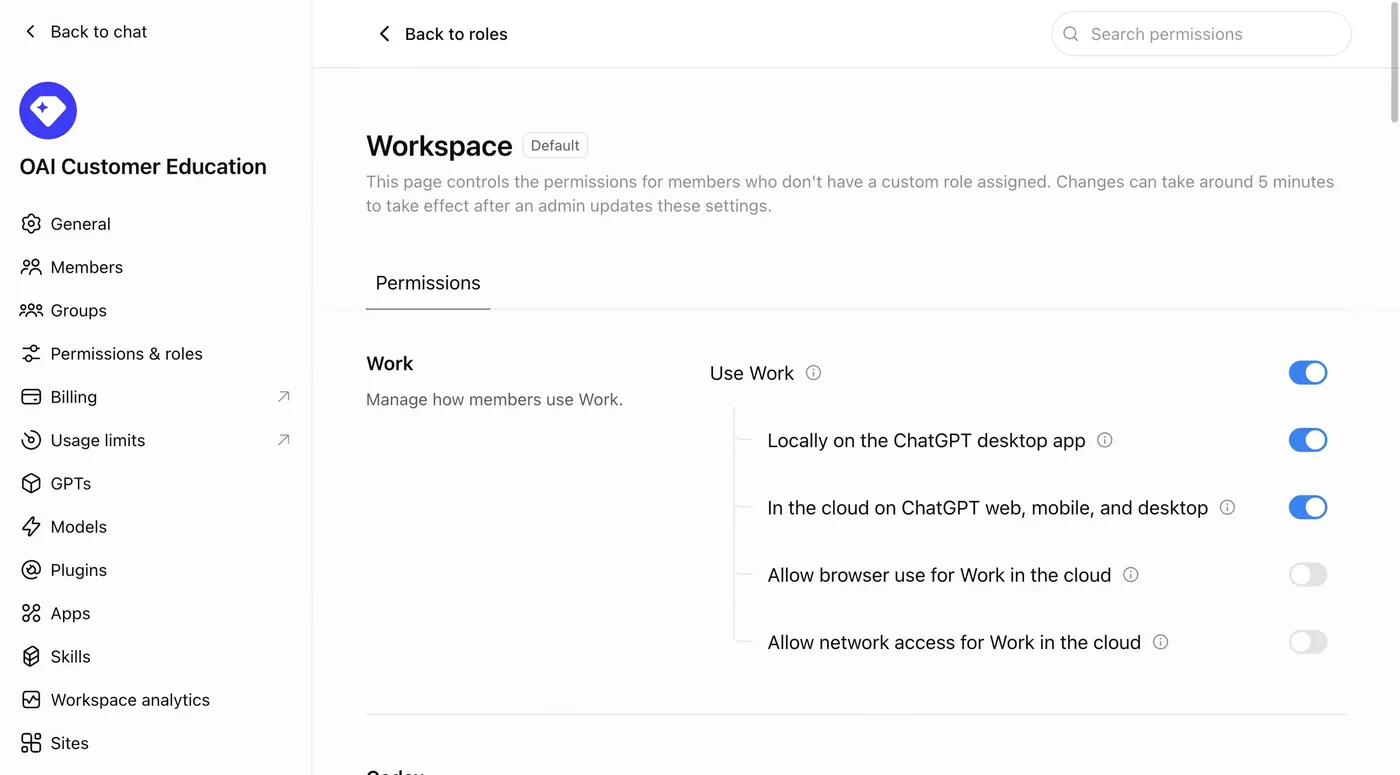
The Workspace role, tagged Default, covers every member who has no custom role. Turn dots on here to give everyone a dot. To give dots to one group only, leave the default off and turn them on in a custom role assigned to that group.
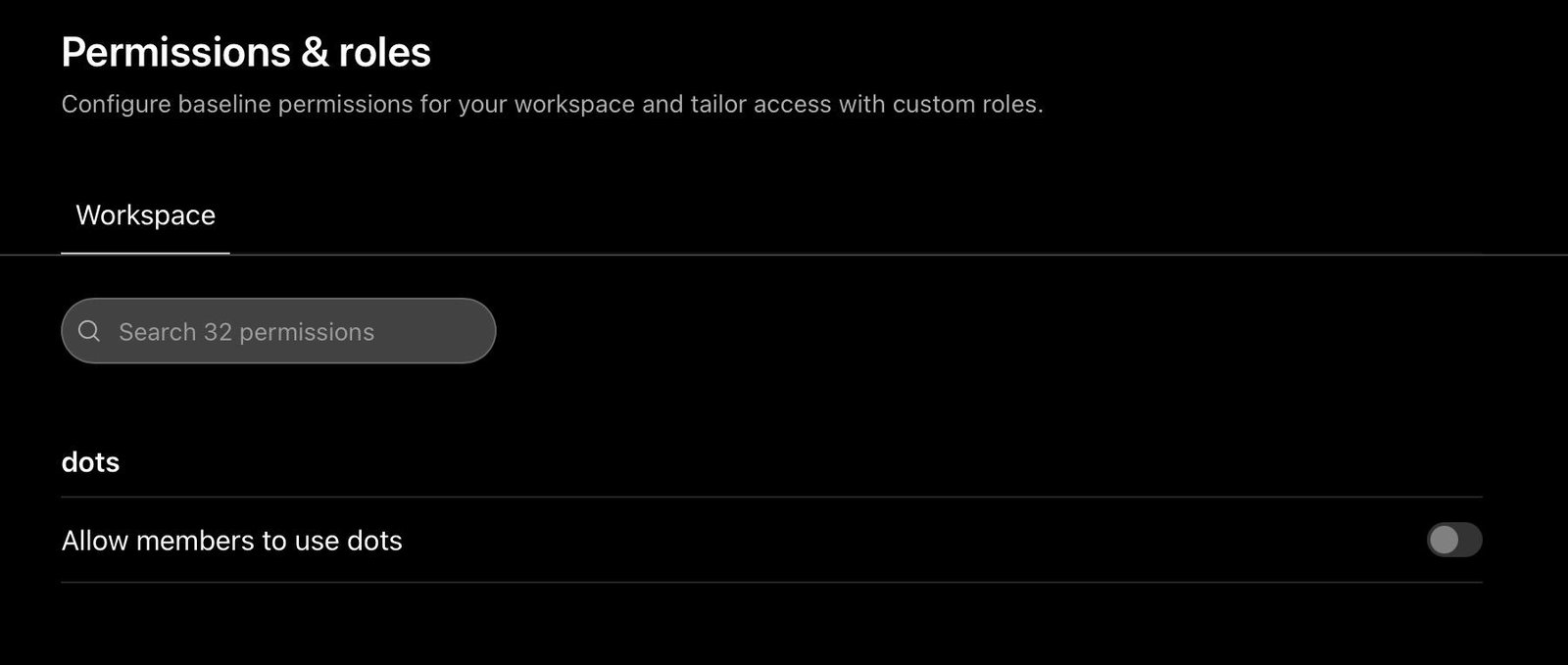
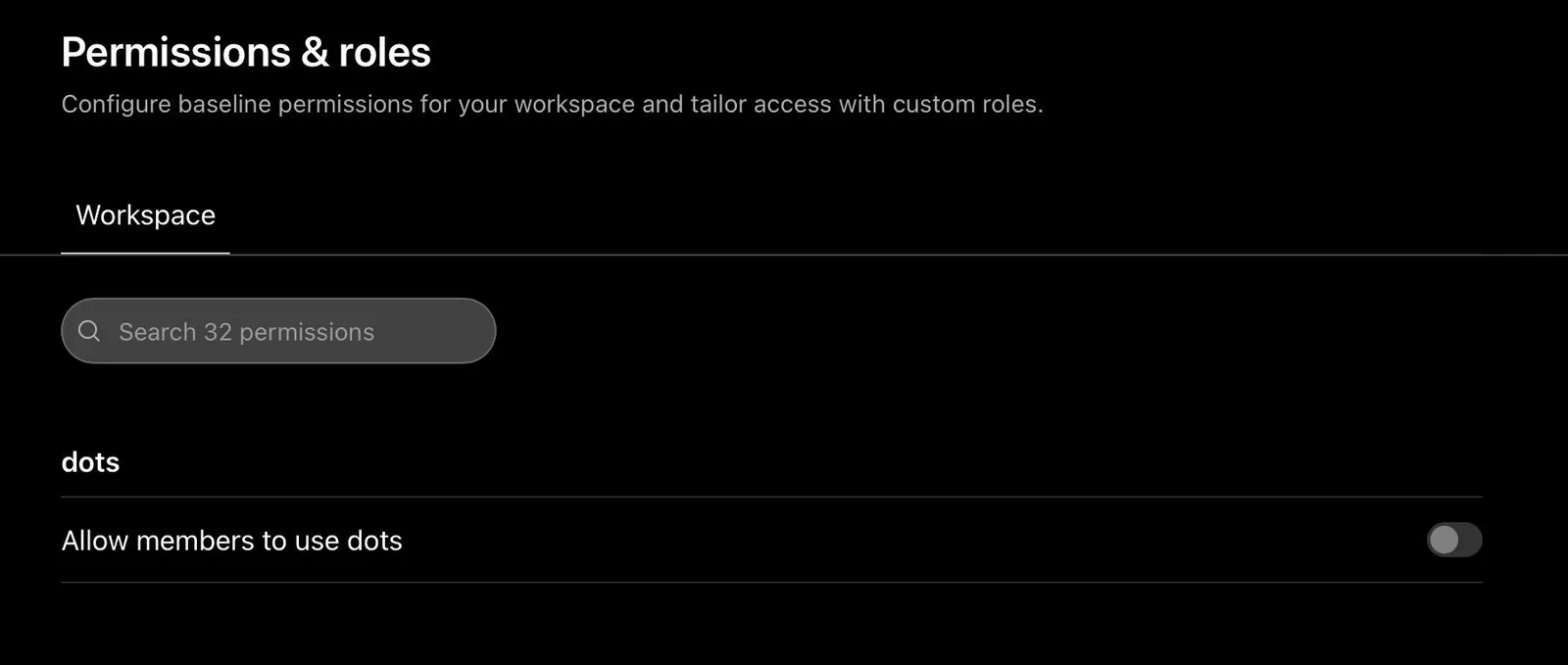
Image: u/sorryredditggg on Reddit 3Turn on the dots switch
Under Workspace capabilities, turn on Use dots (Beta). A Business workspace lists the same switch in a dots group as Allow members to use dots, as in this picture.
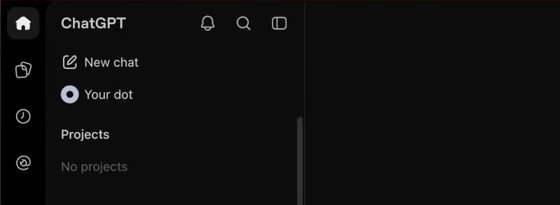
Image: Pat Simmons 4Save, then test with one member
Save, wait five minutes, and ask one member who should have a dot to open ChatGPT on a computer. They should see Your dot in the sidebar, right under New chat.

#Decide the other switches
With dots on, seven more switches set what a member's dot can do. Try your plan here before you touch the real settings: flip a switch and watch the list beside it.
Apps have their own controls. Which apps a dot can use, and what it can do in them, is set in your Plugin controls and each app's permission. Apps and permissions
#Get dots into Slack
Slack is the one setting your switch can't finish alone. Three people have to act, in this order.
- You turn on the dots switch and Add dots to Slack for the members who should have it.
- A Slack owner or app manager makes sure the ChatGPT app is installed, and approves the request if your Slack needs approval.
- Each member connects their own dot from the dot's profile.
Once a dot is in Slack, only its owner can direct it. A message or mention from anyone else starts nothing, and everyone in a conversation can see what the dot posts there. What members see in Slack
#Take a dot away from a member
Removing access works the other way round from granting it: one remaining grant keeps the dot.
- Turn the dots switch off in the workspace default, if it's on there.
- Open every custom role the member holds, directly or through a group, and turn it off in each.
- Disconnect the member's apps and sign their dot out of websites separately. Removing dots access does neither.
#See what a dot did
When you need to look into a dot's work afterwards, there are four places to look, and each shows something different.
| Look in | You get |
|---|---|
| Compliance API | Members' messages to their dots and the dots' replies. Confirm which records it covers before you rely on it for an audit |
| Analytics API | Adoption and usage totals. No record of single actions |
| OpenTelemetry | Events from work on a member's own computer. Work in the cloud doesn't reach your collector |
| Managed hooks | Your admin-managed hooks run on dots' cloud work, when managed policy and remote hooks are enabled |
Members follow their own dot's work in Recent activity, in the dot's profile.
#Check you've got it
You turn the dots switch off in the workspace default. Sam is in a group whose custom role has it on. Can Sam still use a dot?
- Yes
- No, the default wins
- Only until Sam signs out
Show the answer
Yes
A role that grants dots keeps granting them, whatever the default says. Clear every role Sam holds, including the ones that come through groups.
A role that grants dots keeps granting them, whatever the default says. Clear every role Sam holds, including the ones that come through groups.
The dots switch is greyed out. Why?
On Business, dots reach workspaces gradually, and the switch stays grey until your workspace has them. That can take several days after you add a Premium seat. On Enterprise, check the table at the top of this page. Dots not showing up
What does a member need for local computer access?
Your Allow local computer access switch, ChatGPT desktop app version 26.929 or higher, and their own OK in the dot's profile. Local access is unavailable when a cloud policy has enforce_residency enabled, or when a Codex or Work policy targets one operating system. After you switch it off, a local task that was already approved can still finish.
Do our workspace model settings apply to dots?
No. Enterprise model controls and default model settings don't apply to dots.
Does OpenAI train on what a dot reads in our workspace?
Not by default. OpenAI doesn't use content from Business, Enterprise or Edu workspaces to train its models by default. Privacy and security
Can members text their dot from a work account?
No. Phone messaging through iMessage, RCS or WhatsApp isn't available in Enterprise workspaces.
- Rebuilt with the real admin screens and a planner for the eight switches.
- First published.
Get the Dots cheat sheet
One page with the essentials, plus new guides as they are published. Free.
You're in. Your cheat sheet is ready. Download the PDF
Sources
14
- OpenAI Help Center: Manage dots in ChatGPT workspaces help.openai.com
- OpenAI docs: Manage dots permissions and capabilities (admin guide) learn.chatgpt.com
- OpenAI docs: Local computer access for Work Cloud and dots learn.chatgpt.com
- OpenAI Help Center: Managing feature access with role-based access control help.openai.com
- OpenAI Help Center: HIPAA eligible products and functionality help.openai.com
- OpenAI docs: ChatGPT Work admin FAQ learn.chatgpt.com
- OpenAI docs: Analytics API learn.chatgpt.com
- ChatGPT Business product page (dots on Premium seats) chatgpt.com
- OpenAI Help Center: Getting started with your dot help.openai.com
- OpenAI Help Center: Dots privacy, security, and safety FAQs help.openai.com
- OpenAI Developer Community: Unable to enable dots on Business Premium (with OpenAI Support reply) community.openai.com
- OpenAI docs: Roles and workspace permissions (screenshot of Permissions & roles) learn.chatgpt.com
- Pat Simmons on YouTube: screenshot of the sidebar youtube.com
- Reddit r/codex: screenshot of the Allow members to use dots switch reddit.com